Friday, October 29, 2010

Week 14


Week 14!!!

Are we in the 14th week?

Yeah….Finally we have come to the end of the semester. Yes, this week would be the last lesson for the course, Using and Developing Resources for the ESL Classroom. Looking back on the journey of attending this course make me realized that there are a lot of skills regarding technology that I have learnt throughout the 14 weeks. To be frankly, before attending this course I was really weak in technology tools. Sometimes, I even ask my friends’ help to download certain software and edit picture or video. However, now I’m proud to say that I have learnt a lot by exploring all the 5 modules. Although, the 5 module given are really thick and tiring to complete; but now I, myself know how to do web searching, edit pictures, edit videos, edit audios and so on.

Back to the matter, this week lesson is something different from the previous lessons. It can be considered as feedback session on the video clip that we have created and uploaded in the Youtube. The feedback for the videos was not only given by the lecturer alone but peers are also encouraged to give feedback to others work. For example, the strength, weakness, and suggestions for improvement on the video were given both parties (lecturer and peers) during the particular session.

Overall, I would say that majority of the pair have tried their level best to produce a good or quality video. Their hard ship on producing a quality videos were obviously seen through the video produced. For example, the video created by Faiz and Atikah was really amazing. The message about the cancer disease was clearly conveyed by them through the video clip. I’m sure it has given a great impact on everyone on cancer. Meanwhile, talking about Haiqal and Syuhada, they also did a good job in creating the video. However, the theme which is “love” was not well exploited or expressed by them in the video. It could be better if the theme “love” is well exploited and showed by the two major characters in the video.


Anyhow, the particular session make me realized that video clips that we prepared should not only interest to arouse viewers attention but the storyline in the video must be clearly seen throughout the video. Besides that, the theme and the message that we would like to convey in the video also should be clear to the viewer.

Overall, I enjoyed the particular session very much. It reminded me a lot on the things to be concerned in creating a video.

BYE…….

Monday, October 18, 2010

Week 13


Hi everyone. Here comes in another entry of the blog.

Yeah… Finally, the three BIG tasks (Module 2 and e-book and lesson plan) have been submitted successfully in this week. It is a big relief for everyone including me as we have managed to complete all the tasks (Individual, pair and group) given regarding the Module 2. To be frankly, I have learnt a lot in exploring the module 2. For example, now I know how to edit picture in order to make more attractive and meaningful compared to the original version by adding text, changing background, cropping picture and so on.


Anyway, this week also would be the continuous part of the module 4 which is on video editing. Talking about video editing, I would say that I had a hard time to understand and complete all the tutorials given. This is because; most of the tutorials in module 4 are only containing the steps and not the print screen of it. Therefore, it is really hard for me to complete the task as I really have to read all the steps carefully in order to do the print screen of the particular step and move to the next step.


During the lesson hours, we were also given the time for consultation on the task 2 which is on making video. Here, my partner and I have planned to create a video based on extinctive animals. We have actually came out with a video clip about extinctive animals and showed it to madam to get the approval as well as to do further or additional editing on our video. During the consultation time, Pn Foziah has given us a lot of suggestions in improving our video clip to become more meaningful compared to what we have prepared right now. Overall, thank you Pn Foziah; for the wonderful suggestions. We will make some improvement on it.

ANIMAL EXTINCTION


So, I think that all for today. Meet you in another entry. Bye…


Tuesday, October 12, 2010

Week 12

Hi everyone.


This would be the 12th week entry of the resources course. Attending resources class once a week is a new journey for me. Well, thank you Pn Foziah for giving me a lot of input on how to edit picture in the previous lesson. Anyway, this week I have also learnt something additional about the e-book.

This week Pn Foziah started the lesson by showing us some examples of e-books which have been prepared by her and some other seniors. This is done with the aim that it may help us to get clearer ideas on how to make an e-book which is interesting and attractive instead producing a simple one. Firstly, we were shown with the e-book sample which has been prepared by our lecturer. Although it was simple but the idea of inserting voice recording is really good. Apart from that, the technique of using navigator which enables us to move to the next slide and previous slide is also effective as we can navigate it whenever we want. The next sample of the e-book is really interesting. In the particular e-book the creator has inserted a lot of animations, sound effects and colourful pictures in order to make it interesting and attractive.

Besides showing the samples of e-books, Pn Foziah also gave us some tips on what are the things to be concerned in preparing an e-book. Below are some tips on the things that should be considered in preparing a good e-book.

For e-book, there must be:


1) a theme to the story.
2) setting (time and place)
3) plot that shows the conflict, climax and resolution
4) characterization
5) navigational tools to make sure the slides can work properly (can go to next slide and previous slide)
6) pictures must be clear cut and colourful, no different shades or shadows.
7) sound to accompany the e-book reading.


Thank you again madam for helping me to get some clear idea about e-book. Hope it will help me a lot in modifying my e-book look meaningful compared to what I have prepared right now.

Below are some snapshots of my e-book


Moreover, before the lesson end we were also given 2 set of modules. The two sets given are the continuous part of the module 2 which is photo editing. Although, the two sets are considered thick; hope I can learn more about the Photoshop and its function. (Reminder for me: Visva, you should finish this before you are getting the next module)

Lastly, we were also shown with some examples of videos which have been edited by Pn Foziah’s friend. Wow…it’s really amazing. I’m actually looking forward to learn about it. Hope I’ll learn more about the photo editing tool in the next module which is on video editing.

Monday, October 4, 2010

Week 11

Hi everyone, meet you again in the 11th week entry.

For your information, this week would be another continues entry of the Photo Editing. There are a lot of inputs about the photo editing tool were explained clearly to us during the three hours lesson. To be frankly, this particular session is actually an eye-opener for me to learn more about the photo editing tool.

Well, this week Pn. Foziah began the lesson by asking everyone with the question to ponder.

What is the purpose of editing picture using photo editing?

Here, majority of them just answered that pictures are only edited in order to make look nicer from the original copy.

However, the answer or the explanation given by her was really outstanding for us as a future teacher.

1. Photo editing can be used to edit a photo based on the teaching objectives or purposes.

2. Photo editing tool can be used edit photos in order to look more colourful and attractive.

3. Photo editing can be used to make the picture clearer from the original.

4. Photo editing can be used to create a storyline by adding text on the picture

Besides this, Pn. Foziah also did show us with some examples of photos which has been edited by her friend. To be honest, I was amused looking at the edited photos. All the photos shown were really nice. There was actually a huge different between the original photos. The message implant in each picture is also obviously seen through the edited version. So, here we also reminded that picture is not only edited with no reason but they should be a message underlying on it. Accordingly, Pn Foziah also reminded us to put our nick name or signature on the edited version in order to claim it as our own copyright. This is also done with the aim to prevent plagiarism.

After giving enough exposure on photo editing, Pn Foziah also asked us to edit any photo and make it more meaningful. Thus, here I have edited my picture as I am holding the Putrajaya Administrative office on my palm. This picture is purposely edited in order to teach the pupils that “Nothing is Impossible in The World”. It means, there is “No Way” for any effort. Meanwhile, we can achieve anything successfully if we really put effort on it.

Below are the pictures of my original photo and edited photos.

Before


After


Monday, September 27, 2010

Week 10

Fuyoo….Finally, the 2 group assignments (Lesson Plan and Teaching Aids) have been submitted successfully to Pn.Foziah after the three hours lesson. Wow… it is actually a big relief for me as the two important tasks have been accomplished in this week.

Lesson Plan


Teaching Aids


Anyway, this week would be the continuation of Module 2. Since, majority of the students are not able to finish the Modue 2; thus, Pn Foziah has given the three hours lesson just to complete the module. (So kind of you Madam…….)

Phew…. I have managed to complete the Module 2 during the weekend itself; so, I just took the time to edit the PowerPoint slides of Module 2. I mean, I just organized the print screen nicely and changed the font size to a bit big in size in order to look more perfect.


For your information, I have learnt a lot from the particular Module. For example, I have learnt about how to crop picture, how to remove red eye, how to remove blemishes, how to insert frame, how to combine two images and so on. Talking about removing blemishes, I would say that it is really great. A black mark in a face can be removed completely by just clicking on the mark place using Spot healing brush tool.

Moreover, the most exciting element about photo editing is, we can even change the background of the picture with any wonderful background. For example, the background of Everest, Taj Mahal, and Sahara can be put as the background for our picture. Those backgrounds look realistic after editing has done. It looks real as though we are standing in front of it.

Overall, the three hours lesson is a relaxation hour for me. I just spent the time to look around other progress in the Module 2. hahaha……

Saturday, September 25, 2010

Week 9

Hi everyone, meet you again after the two weeks Raya break.

Those who are Muslim, I’m sure that you all are still in the Raya mood. Anyway, Selamat Hari Raya Puasa to all of you.

Yeah…. I have done all three tasks (Module 3, Teaching Aids and Lesson Plan) which have been given during the holiday. Now, I’m ready to submit it. hahaha…..


Back to the matter. This week Pn Foziah is not entered the class. However, the task for the week is distributed us by Haiqal. Yes, we are given the Module 2 which is to be done by next week. Wow…it was actually another thick module which has been given to us. OMG…. am I able to complete it by next week? (this is what I thought when Haiqal announced the date due). Anyhow, I should complete it by this weekend.


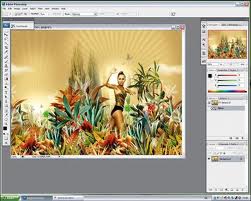
The Module 2 is basically focuses on Photo Editing. Software such as Adobe Photoshop CS3, ACDSee, Iphoto, Photoscape and Triscape Fxfoto are needed to complete the tutorials in Module 2. Since I have already installed the Photoshop CS3 in my laptop; so, I just started doing the tutorials on Adode Photoshop CS3 during the lesson. To be frankly, this is the first time where I am exploring the software and I even don’t know the function of each button in the Photoshop CS3. However, working on some of the tutorials in Photoshop CS3 is actually awared me on how to adjust brightness, colour, saturation, change background, change gradient colour and filter picture.

Photoshop CS3


Photoscape


ACDSee


Overall, I managed to complete some of the tutorials from Module 2 during the three hours lesson. Hope I will complete the whole Module 2 by next week. Reminder for my course mate: we should complete the module 2 by next week. So, don’t waste your time by doing nothing. Try to complete it as soon as possible. Bye……

Meet you again in the following entry.

Friday, September 3, 2010

Week 8

Welcome to the eight week reflection. For you information, the class for this week has been canceled by Pn Foziah due to some personal reasons.

Wait….anyway don’t that they will be nothing to be shared in this week entry.

Although, the class is canceled, three tasks (Module 3, Lesson plan and Teaching Aids) have been given to us to complete during the 2 weeks Raya break. Huhuhu…. My 2 weeks holiday will be spent for completing the three tasks (There is no break for you Visva…).

Module 3

Anyhow, the Module 3 which has been given to us is considerable since it is not that thick as the Module 1. This particular module basically focuses on using Audacity. Yeah…. I have already installed the software in my laptop and have no problems completing the task since I have some basic knowledge on the particular software. Hope, I will able to do it without any problems.

Lesson plan

In a group of five, we were also asked to prepare 4 lesson plans for a chosen topic. The 4 lesson plans are split as 1 lesson plan for an hour and 3 three lesson plan for 30 minutes. We in a group of 5 have discussed to focus on the Year 3 topic which is on the topic Animal and Pets. Hope, we will get done with the task during the Raya holiday.

Teaching Aids

In the same group, we were also required to prepare teaching aids for any topics from year 1 to year 6. The condition given for the teaching aids is, it should integrate both technology and non-technology elements. Reminder for the group members: Please make sure that all teaching aids prepared are colourful, interesting and have higher potential to arouse pupils’ interest into the lesson.

Before I stop, Selamat Hari Raya for all Muslim friends………….

BYE...